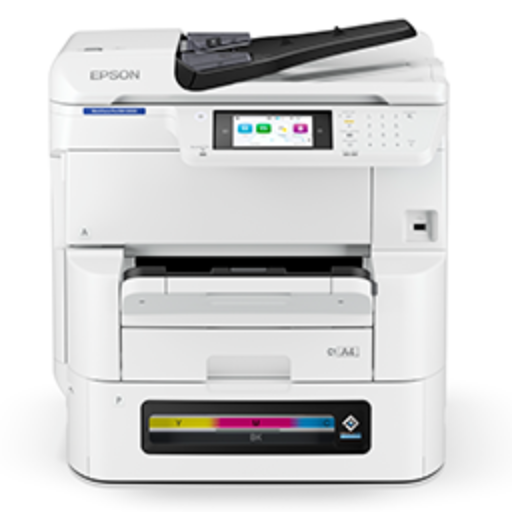
EPSON WF-EMC8100

₹ 185000 10% off
₹ 205000

Item out of stock

The EPSON WF-EMC8100 is a versatile and reliable multifunction printer that delivers superior print quality and productivity. With its intuitive design and advanced features, this printer is perfect for both home and office environments. The EPSON WF-EMC8100 boasts fast printing speeds, high-resolution output, and wireless connectivity for seamless printing from various devices. Say goodbye to complicated printing processes and hello to effortless printing with the EPSON WF-EMC8100.
A3+ colour print, scan, copy, fax
• A4 printing speed of up to 24 ipm^ (Mono and Colour)
• One Pass Auto Duplex Scanning speed of up to 25 ppm / 45 ipm^
• 50-page Auto Document Feeder
• Paper capacity of up to 1,835 sheets
• Low power consumption of 40 Watts
• Ink pack yields of up to 86,000 prints^4 (black) and 50,000 prints^4
(composite colour)
• 1-year onsite warranty or 6,00,000 pages3
• Hi-speed USB, Ethernet, Wi-Fi, Wi-Fi Direct
• Fleet management and Print management with Epson Print Admin, Device
Admin and Epson Remote Services
• Optional Printer Stand, Second and Third Tray
1. Connect the EPSON WF-EMC8100 to a power source and turn it on.
2. Load the paper tray with the desired paper size and type.
3. Install the printer drivers on your computer or mobile device.
4. Select the document or image you want to print and choose the printer from the list of available devices.
5. Adjust the print settings as needed and hit the print button.
6. For scanning or copying, place the document on the glass or in the automatic document feeder and select the appropriate function on the printer panel.
7. Follow any additional prompts or settings for optimal results. Regularly clean and maintain the printer for long-lasting performance.

Keywords: EPSON WF-EMC8100, multifunction printer, high-quality printing, wireless connectivity, efficient printing

Ratings & Reviews