


 Facebook
 Instagram
 Twitter
 Linkedin
Contact Us
45, GROUND FLOOR, 11th A Cross Road, Hebbal Kempapura, Bengaluru, Karnataka 560024, India

In stock
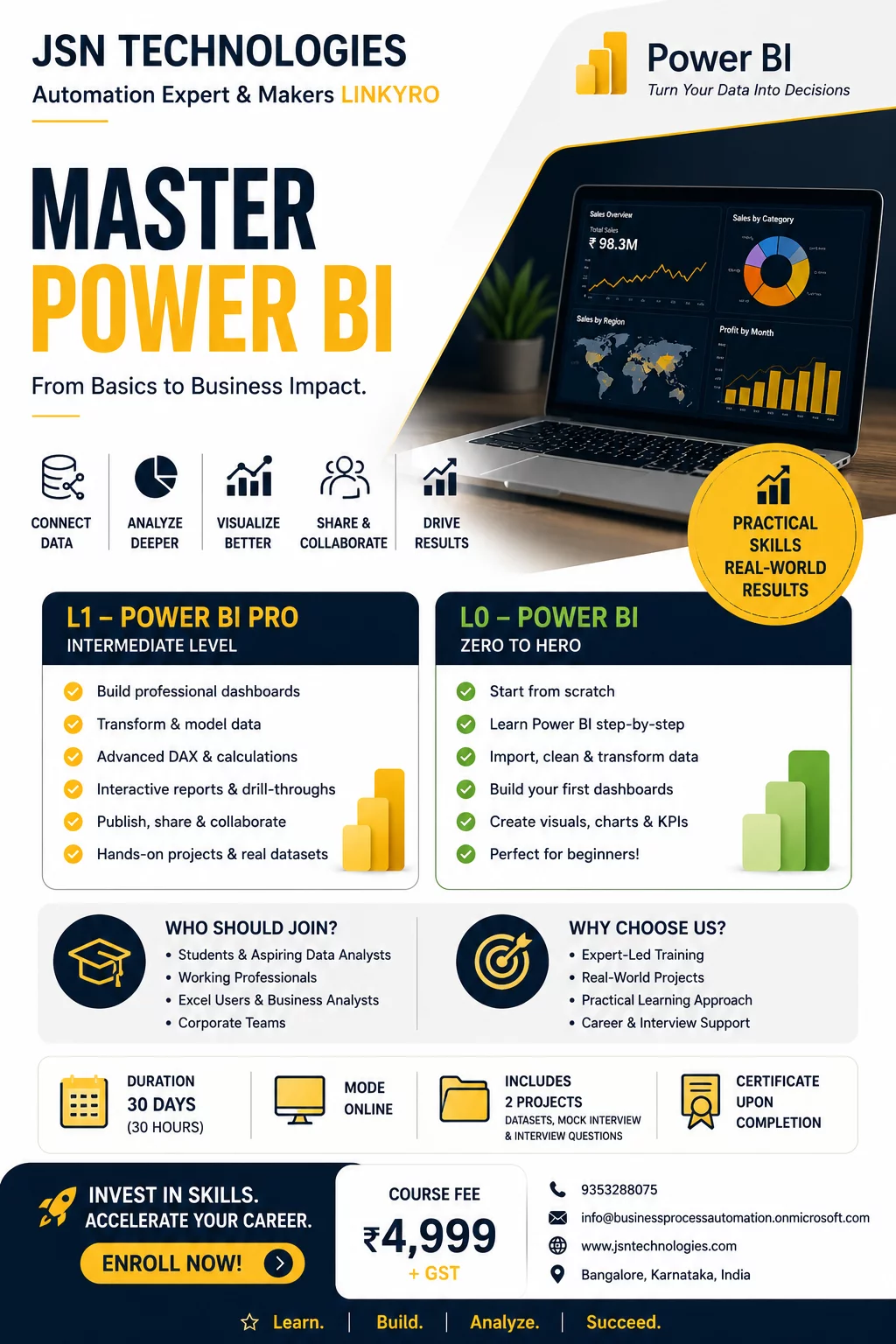
POWER BI PRO – L1
A practical intermediate-level Power BI program designed for students, professionals, and corporate employees who want to build industry-ready dashboarding and analytics skills.
Learn Power Query, DAX, data modeling, interactive dashboards, and Power BI Service through hands-on projects and real-world implementation.
The program focuses on creating professional business reports, KPI dashboards, and automated reporting solutions used in modern organizations.
Participants gain practical exposure to reporting workflows, business intelligence concepts, and presentation-ready dashboard development.
Ideal for individuals looking to transition from basic reporting to professional Power BI development.
Power BI, DAX, Power Query, Dashboarding, Data Modeling, Business Intelligence, KPI Reporting, Data Visualization, Analytics, Power BI Service
.# Power BI training,#Power BI dashboards,#Corporate Power BI training,#Business process automation,#AI workflow automation,#Automation consultant,Power BI consultant,#Excel Training,#Data analytics services,#Dashboard development,#Excel automation,LinkedIn engagement tool,#AI LinkedIn comments ,#Linkyro Chrome extension,#Small business automation,#Business reporting automation
POWER BI PRO – Features & Benefits
Features
1. Intermediate-Level Power BI Training
Structured program designed to move learners from beginner dashboards to professional reporting.
2. Hands-On Real-World Projects
Practical implementation using business-oriented datasets and dashboard scenarios.
3. DAX & Data Modeling Training
Learn measures, calculated columns, relationships, cardinality, and business calculations.
4. Power Query & Data Transformation
Clean, shape, and combine data from multiple sources efficiently.
5. Interactive Dashboard Development
Build drill-through dashboards with slicers, bookmarks, tooltips, and navigation.
6. Power BI Service & Collaboration
Learn publishing, workspace management, sharing, permissions, and refresh scheduling.
7. Performance Optimization Basics
Understand query folding, model optimization, and efficient dashboard design techniques.
Benefits
1. Build Industry-Ready Power BI Skills
Gain practical skills aligned with real corporate reporting requirements.
2. Improve Career Opportunities
Enhance employability for analyst, MIS, reporting, and business intelligence roles.
3. Create Professional Dashboards
Develop presentation-ready dashboards suitable for management and business teams.
4. Gain Confidence in Data Analysis
Learn how to analyze trends, KPIs, and business metrics effectively.
5. Handle Office Reporting Independently
Automate manual reporting workflows and improve productivity using Power BI.
6. Build a Strong Portfolio
Complete practical projects that can be added to resumes and LinkedIn profiles.
7. Prepare for Advanced Analytics Learning
Establish a strong foundation for advanced Power BI, automation, AI, and business intelligence concepts.
45, GROUND FLOOR, 11th A Cross Road, Hebbal Kempapura, Bengaluru, Karnataka 560024, India


Scan & Pay using any UPI App

Jsn Technologies - Power Bi Training Hebbal Kempapura
 Select Date Select time


 Website