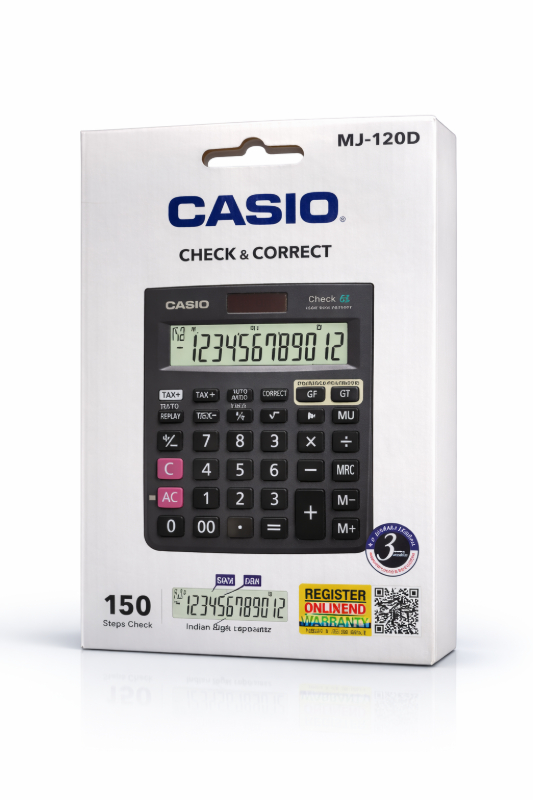
The Casio calculator is a versatile and reliable tool for students and professionals looking for accurate calculations in a compact device.
Casio calculators are the go-to choice for students from Class 6 onwards and for anyone who needs a reliable desk calculator. They're accurate, the buttons respond well, and the battery lasts long.
Whether you need it for school maths, office accounts, or a shop counter — Casio has a model for the job. We stock select Casio models at the shop.
Walk in or WhatsApp +91 98714 77232 to check which models are currently available and their prices.
Features & Benefits
Casio brand — most trusted calculator brand in IndiaAvailable in basic, scientific, and financial modelsSolar + battery powered — works even in low lightClear display — easy to readSuitable for students, teachers, and office use
Usage Instructions
1. To turn on the calculator, press the "ON" button. 2. Enter the numbers or equations using the keypad. 3. Use the various function keys for calculations such as addition, subtraction, multiplication, and division. 4. To clear an entry, press the "C" or "AC" button. 5. Remember to switch off the calculator after use to conserve battery power. 6. Avoid exposing the calculator to extreme temperatures or liquids to prevent damage.
Buy Casio Calculator At PK Stationery
The Casio calculator is a versatile and reliable tool for students and professionals looking for accurate calculations in a compact device.
Casio calculators are the go-to choice for students from Class 6 onwards and for anyone who needs a reliable desk calculator. They're accurate, the buttons respond well, and the battery lasts long.
Whether you need it for school maths, office accounts, or a shop counter — Casio has a model for the job. We stock select Casio models at the shop.
Walk in or WhatsApp +91 98714 77232 to check which models are currently available and their prices.
Features & Benefits
Casio brand — most trusted calculator brand in IndiaAvailable in basic, scientific, and financial modelsSolar + battery powered — works even in low lightClear display — easy to readSuitable for students, teachers, and office use
Usage Instructions
1. To turn on the calculator, press the "ON" button. 2. Enter the numbers or equations using the keypad. 3. Use the various function keys for calculations such as addition, subtraction, multiplication, and division. 4. To clear an entry, press the "C" or "AC" button. 5. Remember to switch off the calculator after use to conserve battery power. 6. Avoid exposing the calculator to extreme temperatures or liquids to prevent damage.