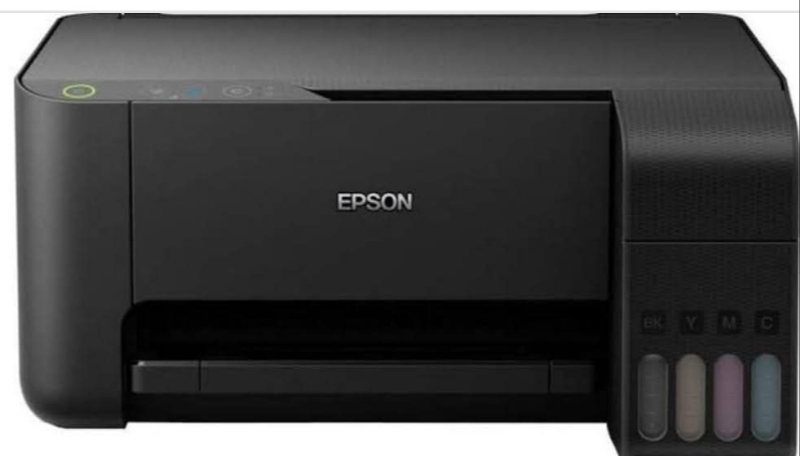
Experience high-quality printing with Epson Printers, designed for both home and office use. Get sharp and vibrant prints every time.
Epson Printers are trusted by professionals and home users alike for their exceptional print quality and reliability. With a wide range of models to choose from, Epson printers offer superior printing technology that delivers crisp text, vivid images, and long-lasting results. Whether you need a compact printer for everyday use or a high-volume printer for business tasks, Epson has a solution for you. With advanced features such as wireless connectivity, automatic double-sided printing, and high-capacity ink cartridges, Epson printers are the perfect choice for all your printing needs.
Features & Benefits
- Wireless connectivity for easy printing from smartphones and tablets. - Automatic double-sided printing to save paper and reduce waste. - High-capacity ink cartridges for fewer replacements and cost savings. - Superior print quality with Epson's PrecisionCore technology. - High-quality prints for professional documents and vibrant photos. - Efficient printing with automatic features to save time and money. - Reliable performance for consistent results every time. - Environmentally friendly with energy-saving features and recycling options.
Usage Instructions
- Step 1: Set up your Epson Printer following the instructions in the user manual. - Step 2: Install the printer drivers on your computer or mobile device for seamless printing. - Step 3: Load the paper and ink cartridges properly to avoid jams or errors. - Step 4: Use the printer settings to adjust print quality, paper size, and other preferences. - Step 5: Regularly clean and maintain your Epson Printer for optimal performance and longevity.
Epson Printers
Experience high-quality printing with Epson Printers, designed for both home and office use. Get sharp and vibrant prints every time.
Epson Printers are trusted by professionals and home users alike for their exceptional print quality and reliability. With a wide range of models to choose from, Epson printers offer superior printing technology that delivers crisp text, vivid images, and long-lasting results. Whether you need a compact printer for everyday use or a high-volume printer for business tasks, Epson has a solution for you. With advanced features such as wireless connectivity, automatic double-sided printing, and high-capacity ink cartridges, Epson printers are the perfect choice for all your printing needs.

Features & Benefits
- Wireless connectivity for easy printing from smartphones and tablets. - Automatic double-sided printing to save paper and reduce waste. - High-capacity ink cartridges for fewer replacements and cost savings. - Superior print quality with Epson's PrecisionCore technology. - High-quality prints for professional documents and vibrant photos. - Efficient printing with automatic features to save time and money. - Reliable performance for consistent results every time. - Environmentally friendly with energy-saving features and recycling options.
Usage Instructions
- Step 1: Set up your Epson Printer following the instructions in the user manual. - Step 2: Install the printer drivers on your computer or mobile device for seamless printing. - Step 3: Load the paper and ink cartridges properly to avoid jams or errors. - Step 4: Use the printer settings to adjust print quality, paper size, and other preferences. - Step 5: Regularly clean and maintain your Epson Printer for optimal performance and longevity.