Is your customer support running on a single mobile phone?
As your business grows, passing one phone around to multiple employees is a recipe for disaster. Messages get missed, replies are delayed, and you have zero visibility into who said what to a customer.
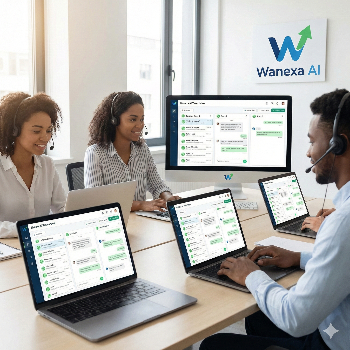
The Solution: Wanexa AI's Shared Team Inbox Move beyond the limitations of a physical device. Our platform allows your entire support or sales team to manage conversations from one unified dashboard using a single business number.
Why Your Team Needs This:
👥 Multiple Logins: Give every agent their own login credentials. They can access the inbox from their laptop or desktop simultaneously.
➡️ Chat Assignment: Manually or automatically assign incoming chats to specific departments (e.g., "Sales," "Support") or individual agents based on their expertise.
👀 Manager Oversight: As a business owner, you can monitor all live conversations, see response times, and ensure quality control without interfering.
📝 Internal Notes: Agents can leave private notes on a customer's chat for other team members to see, ensuring a smooth handover.
Professionalize Your Support Today: Stop the chaos and confusion. Give your team the tools they need to provide faster, more organized, and professional customer service.
Contact Us: Ready to set up your Team Inbox? Get in touch with us for a walkthrough of the dashboard.
+91 9775252680

 Go To Homepage