
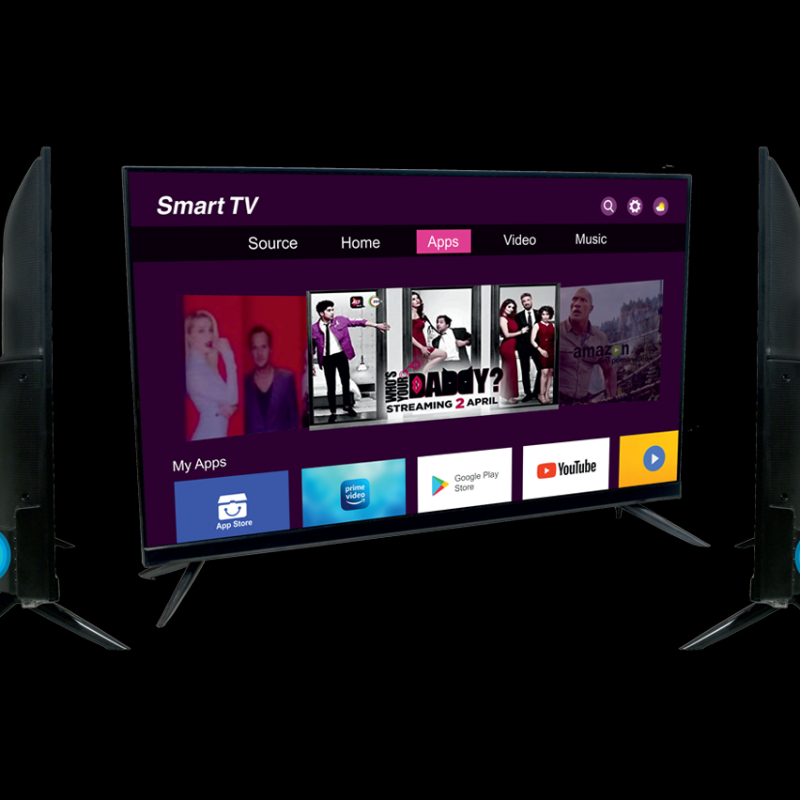
ELISTA LED SH32ECA61 B 32 SMART TV
₹9,999
₹14,999
Upgrade your home entertainment experience with the ELISTA LED SH32ECA61 B 32 SMART TV, featuring cutting-edge technology and stunning picture quality.
Quick Delivery
Secure Payment
Product Details
The ELISTA LED SH32ECA61 B 32 SMART TV is designed to enhance your viewing experience with its sleek design and innovative features. This smart TV delivers crystal-clear images and vibrant colors, making every movie night or Netflix binge an immersive experience. With built-in Wi-Fi and smart capabilities, you can easily access your favorite apps and streaming services with just a click of a button. The ELISTA LED SH32ECA61 B 32 SMART TV is the perfect addition to any living room, offering superior picture quality, seamless connectivity, and endless entertainment options.
Features & Benefits
- 32-inch LED display
- Smart TV functionality
- Built-in Wi-Fi
- High-definition resolution
- Sleek and modern design
- Enjoy stunning picture quality for a more immersive viewing experience
- Easy access to your favorite apps and streaming services
- Smart capabilities allow for seamless connectivity and convenience
- Sleek design adds a touch of modern elegance to your living space
- Smart TV functionality
- Built-in Wi-Fi
- High-definition resolution
- Sleek and modern design
- Enjoy stunning picture quality for a more immersive viewing experience
- Easy access to your favorite apps and streaming services
- Smart capabilities allow for seamless connectivity and convenience
- Sleek design adds a touch of modern elegance to your living space
How to Use
- Connect the TV to a power source and turn it on using the remote control.
- Follow the on-screen instructions to set up the Wi-Fi connection.
- Access your favorite apps and streaming services by navigating the smart TV interface.
- Adjust the picture and sound settings to customize your viewing experience.
- To avoid damage, do not expose the TV to extreme temperatures or moisture. Regularly clean the screen with a soft, dry cloth for optimal performance.
Keywords: smart TV, LED display, high-definition resolution, built-in Wi-Fi, streaming services, home entertainment.
- Follow the on-screen instructions to set up the Wi-Fi connection.
- Access your favorite apps and streaming services by navigating the smart TV interface.
- Adjust the picture and sound settings to customize your viewing experience.
- To avoid damage, do not expose the TV to extreme temperatures or moisture. Regularly clean the screen with a soft, dry cloth for optimal performance.
Keywords: smart TV, LED display, high-definition resolution, built-in Wi-Fi, streaming services, home entertainment.