
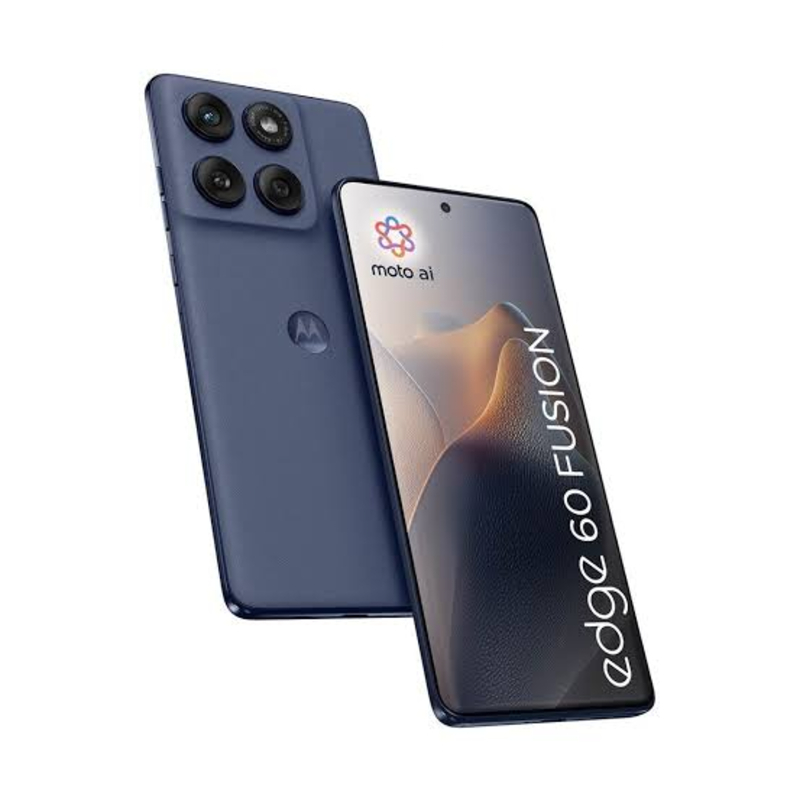
Moto Edge 60 Fusion 256 GB, 8 GB RAM, Pantone Slipstream,
₹20,999
₹25,999
Elevate your smartphone experience with the Moto Edge 60 Fusion boasting 256 GB storage, 8 GB RAM, and a stunning Pantone Slipstream design. Perfect for tech-savvy users looking for a blend of style and performance.
Quick Delivery
Secure Payment
Product Details
The Moto Edge 60 Fusion is a flagship smartphone that combines cutting-edge technology with a sleek Pantone Slipstream design. With 256 GB of storage and 8 GB RAM, this device offers ample space for all your apps, photos, and videos. The 6.7-inch OLED display provides stunning visuals, while the Qualcomm Snapdragon processor ensures smooth performance. Capture every moment in incredible detail with the triple-camera system, featuring a 108 MP main sensor, 16 MP ultra-wide lens, and 8 MP telephoto camera. Stay connected and productive all day long with the long-lasting battery life and 5G capabilities, making the Moto Edge 60 Fusion the perfect companion for both work and play.
Features & Benefits
- 256 GB storage and 8 GB RAM
- Pantone Slipstream design
- Qualcomm Snapdragon processor
- 6.7-inch OLED display
- Triple-camera system with 108 MP main sensor
- 5G capabilities for fast connectivity
- Ample storage and RAM for smooth performance and multitasking
- Stylish design with Pantone Slipstream color option
- High-quality display for immersive viewing experience
- Capture stunning photos and videos with the triple-camera system
- Stay connected with fast 5G speeds and long-lasting battery life
- Pantone Slipstream design
- Qualcomm Snapdragon processor
- 6.7-inch OLED display
- Triple-camera system with 108 MP main sensor
- 5G capabilities for fast connectivity
- Ample storage and RAM for smooth performance and multitasking
- Stylish design with Pantone Slipstream color option
- High-quality display for immersive viewing experience
- Capture stunning photos and videos with the triple-camera system
- Stay connected with fast 5G speeds and long-lasting battery life
How to Use
1. Power on the Moto Edge 60 Fusion by pressing and holding the power button.
2. Set up the device by following the on-screen instructions for language, Wi-Fi connection, and account setup.
3. Customize your home screen, organize apps, and personalize settings to suit your preferences.
4. To capture photos, open the camera app and choose the desired shooting mode or settings.
5. Explore the various features and capabilities of the Moto Edge 60 Fusion to make the most of your smartphone experience. Remember to regularly update your device and follow best practices for maintenance to ensure optimal performance.
Keywords: Moto Edge 60 Fusion, 256 GB, 8 GB RAM, Pantone Slipstream, flagship smartphone, Qualcomm Snapdragon processor, OLED display, triple-camera system, 5G capabilities, fast connectivity.
2. Set up the device by following the on-screen instructions for language, Wi-Fi connection, and account setup.
3. Customize your home screen, organize apps, and personalize settings to suit your preferences.
4. To capture photos, open the camera app and choose the desired shooting mode or settings.
5. Explore the various features and capabilities of the Moto Edge 60 Fusion to make the most of your smartphone experience. Remember to regularly update your device and follow best practices for maintenance to ensure optimal performance.
Keywords: Moto Edge 60 Fusion, 256 GB, 8 GB RAM, Pantone Slipstream, flagship smartphone, Qualcomm Snapdragon processor, OLED display, triple-camera system, 5G capabilities, fast connectivity.