
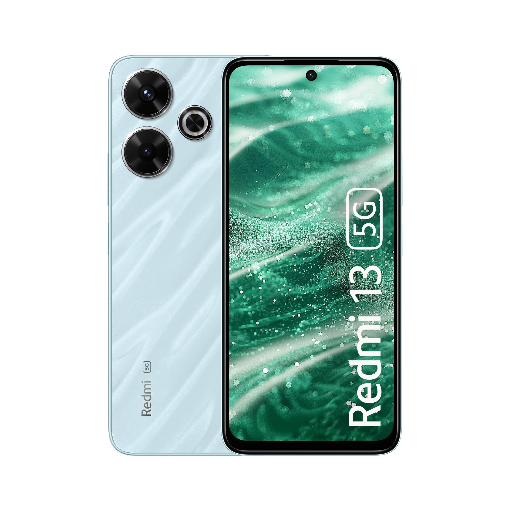
REDMI 13 5G (Hawaiian Blue, 128 GB) (8 GB RAM)
₹13,999
₹19,999
Experience lightning-fast speeds and stunning visuals with the REDMI 13 5G in Hawaiian Blue. This smartphone boasts a powerful 8 GB RAM and 128 GB storage capacity for seamless performance.
Quick Delivery
Secure Payment
Product Details
Elevate your mobile experience with the REDMI 13 5G in Hawaiian Blue. Powered by a high-performance 8 GB RAM and 128 GB of storage, this sleek smartphone offers incredible speed and ample space for all your apps, photos, and videos. The vibrant 6.5-inch display delivers crisp visuals and immersive viewing, perfect for gaming, streaming, or browsing. Capture every moment in stunning detail with the 48 MP triple camera setup, while staying connected with the latest 5G technology. Stay powered throughout the day with the long-lasting battery life and enjoy a seamless user experience with the smooth MIUI interface. Choose the REDMI 13 5G for unparalleled performance and style.
Features & Benefits
8 GB RAM | 128 GB ROM
17.25 cm (6.79 inch) Full HD+ Display
108MP Rear Camera
5030 mAh Battery
Qualcomm SM4450 Snapdragon 4 Gen 2 AE (4 nm) Processor
How to Use
- To insert the SIM card, gently insert the SIM ejector tool into the pinhole on the side of the phone and remove the SIM tray.
- To power on the device, press and hold the power button until the Redmi logo appears on the screen.
- Set up your device by following the on-screen instructions for language, Wi-Fi connection, and Google account login.
- Customize your settings, download your favorite apps, and explore the features of your new Redmi 13 5G.
- To preserve battery life, avoid prolonged exposure to extreme temperatures and charge your device with the provided charger for optimal performance.
Keywords: REDMI 13 5G, Hawaiian Blue, 128 GB, 8 GB RAM, smartphone, 5G connectivity, 48 MP camera, Full HD+ display.
- To power on the device, press and hold the power button until the Redmi logo appears on the screen.
- Set up your device by following the on-screen instructions for language, Wi-Fi connection, and Google account login.
- Customize your settings, download your favorite apps, and explore the features of your new Redmi 13 5G.
- To preserve battery life, avoid prolonged exposure to extreme temperatures and charge your device with the provided charger for optimal performance.
Keywords: REDMI 13 5G, Hawaiian Blue, 128 GB, 8 GB RAM, smartphone, 5G connectivity, 48 MP camera, Full HD+ display.