
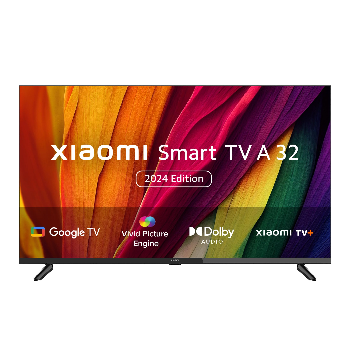
XIAOMI SMART TV A SERIES 32 (80CM)
₹11,999
₹16,999
Experience the ultimate in home entertainment with the XIAOMI SMART TV A SERIES 32 (80CM), an innovative and immersive smart TV that redefines your viewing experience.
Quick Delivery
Secure Payment
Product Details
The XIAOMI SMART TV A SERIES 32 (80CM) is designed to elevate your home entertainment setup with its cutting-edge features and sleek design. This smart TV boasts a crystal-clear 32-inch display, delivering stunning visuals in vibrant colors and sharp clarity. With built-in smart capabilities, you can easily access your favorite streaming services, browse the web, and enjoy a wide range of apps right from your TV screen. The XIAOMI SMART TV A SERIES 32 (80CM) is also equipped with Dolby Audio and DTS-HD technology, ensuring immersive sound quality for a truly cinematic experience. Whether you're watching movies, gaming, or streaming your favorite shows, this smart TV offers endless possibilities for entertainment.
Features & Benefits
- 32-inch display size
- Smart TV capabilities
- Dolby Audio and DTS-HD technology
- Sleek and modern design
- Wide range of apps and streaming services
- Voice control feature
The XIAOMI SMART TV A SERIES 32 (80CM) not only enhances your viewing experience but also simplifies and streamlines your entertainment setup. With its smart TV functions, you can easily access all your favorite content with just a few clicks, eliminating the need for additional devices. The crystal-clear display and immersive sound quality provide a cinema-like experience right in your living room, making movie nights and gaming sessions more enjoyable and memorable. The sleek design of the smart TV adds a touch of elegance to your space, transforming your living room into a stylish entertainment hub.
- Smart TV capabilities
- Dolby Audio and DTS-HD technology
- Sleek and modern design
- Wide range of apps and streaming services
- Voice control feature
The XIAOMI SMART TV A SERIES 32 (80CM) not only enhances your viewing experience but also simplifies and streamlines your entertainment setup. With its smart TV functions, you can easily access all your favorite content with just a few clicks, eliminating the need for additional devices. The crystal-clear display and immersive sound quality provide a cinema-like experience right in your living room, making movie nights and gaming sessions more enjoyable and memorable. The sleek design of the smart TV adds a touch of elegance to your space, transforming your living room into a stylish entertainment hub.
How to Use
- Connect the XIAOMI SMART TV A SERIES 32 (80CM) to a power source and turn it on.
- Follow the on-screen instructions to complete the initial setup, including connecting to your Wi-Fi network.
- Use the remote control to navigate through the menu and access apps, streaming services, and settings.
- Enjoy your favorite movies, shows, games, and more in stunning high-definition quality.
- To optimize your viewing experience, adjust the display settings, audio settings, and other configurations as needed.
Keywords: XIAOMI SMART TV A SERIES 32, smart TV, 32-inch, Dolby Audio, DTS-HD, home entertainment, streaming services.
- Follow the on-screen instructions to complete the initial setup, including connecting to your Wi-Fi network.
- Use the remote control to navigate through the menu and access apps, streaming services, and settings.
- Enjoy your favorite movies, shows, games, and more in stunning high-definition quality.
- To optimize your viewing experience, adjust the display settings, audio settings, and other configurations as needed.
Keywords: XIAOMI SMART TV A SERIES 32, smart TV, 32-inch, Dolby Audio, DTS-HD, home entertainment, streaming services.